Reset and revert
Undoing commits two different ways, both starting from the same place.
-
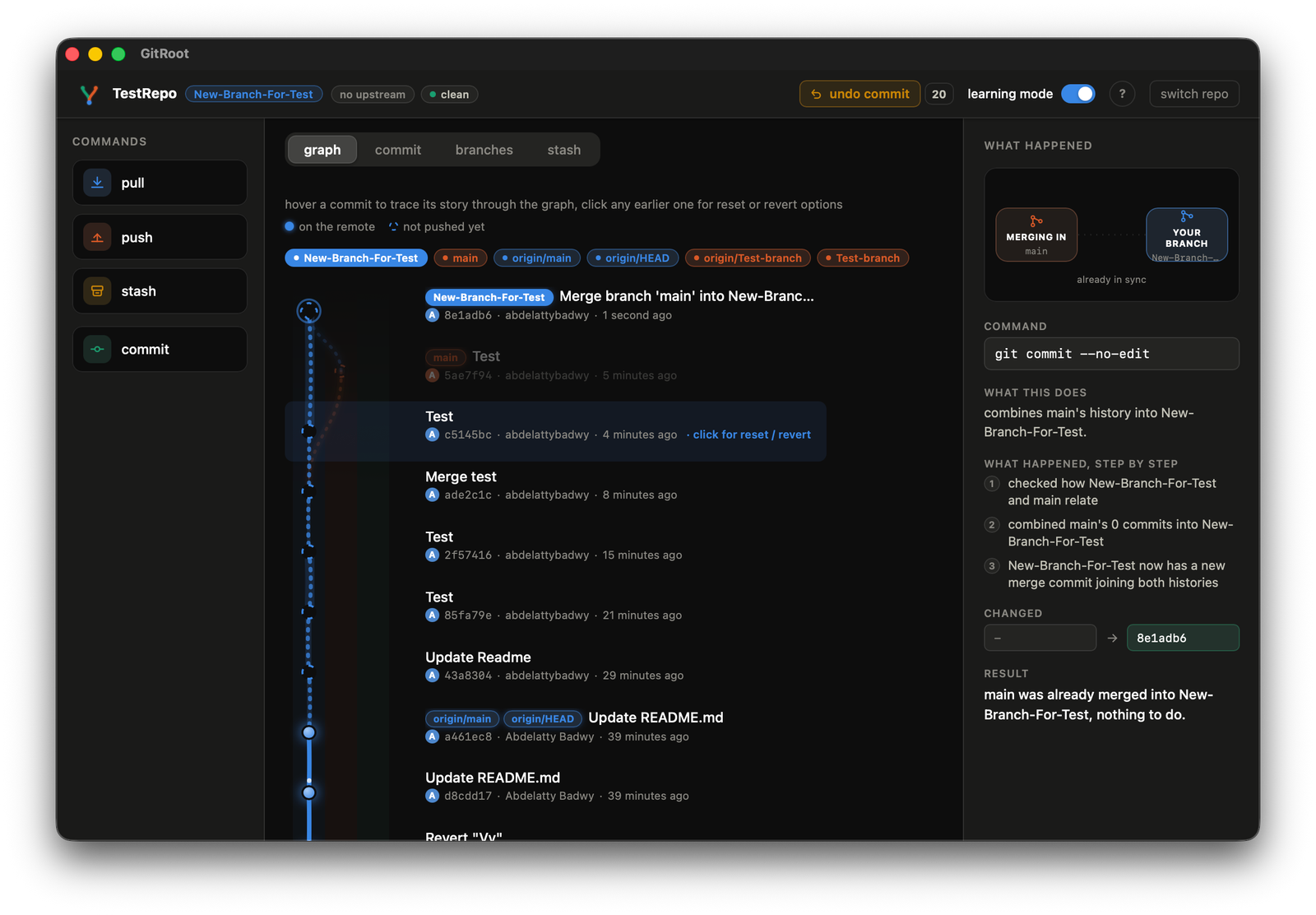
Open the graph tab (your commit history). Click on any earlier commit.
-
Choose reset to here or revert to here from that menu.
Reset
-
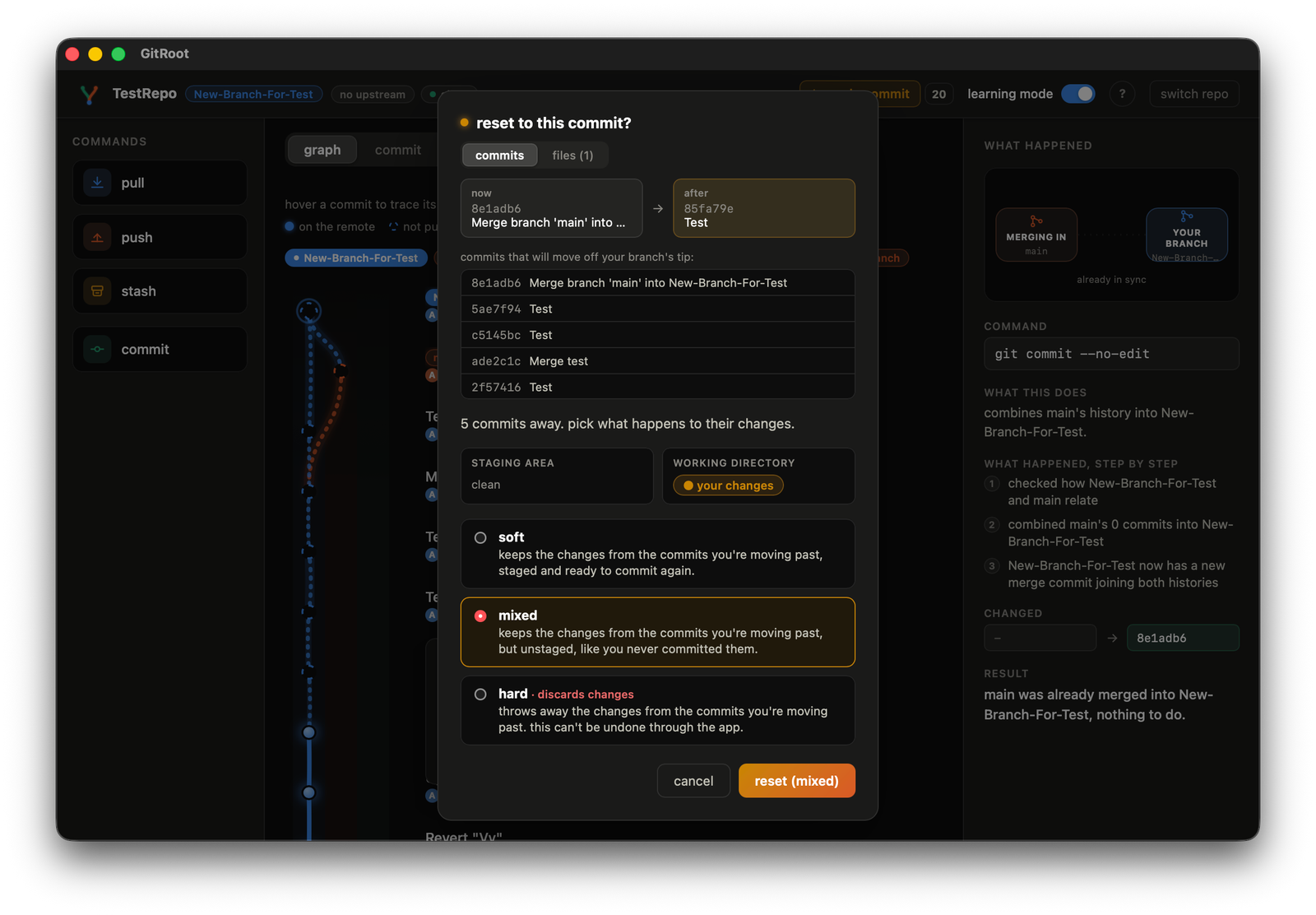
Pick a mode: soft, mixed, or hard. A small live diagram shows exactly where the commits' changes will end up for whichever mode is currently selected: staging area, working directory, or discarded entirely.
-
If any of the commits being reset past are already pushed, a warning appears first.
-
Hard mode adds one more explicit confirmation step before anything is discarded, the only mode here GitRoot can't undo for you afterward.
Revert
Click revert to here. It adds a new commit that undoes the one you picked; nothing is deleted, so no extra confirmation is needed even if it's already been pushed.
Can still hit a conflict if it touches lines something later also touched, which opens the same shared conflict dialog.