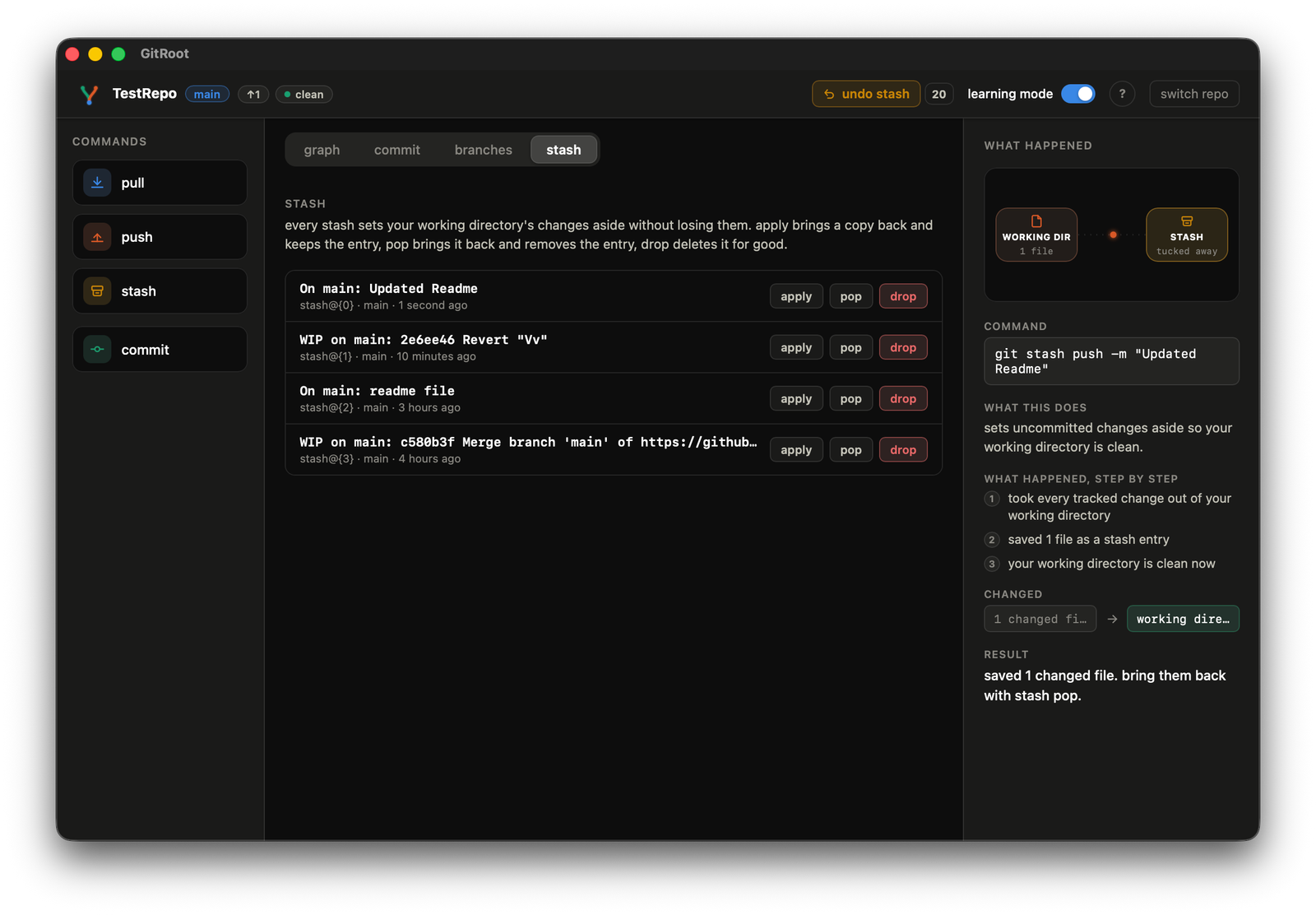
Stash
Setting work aside with an actual label and a choice of which files go in.
-
Click stash in the left command bar. A dialog opens; it does not stash instantly.
-
Type an optional label, e.g.
wip: refactor auth. Every changed file is listed with a checkbox, all checked by default; uncheck anything you want to leave alone.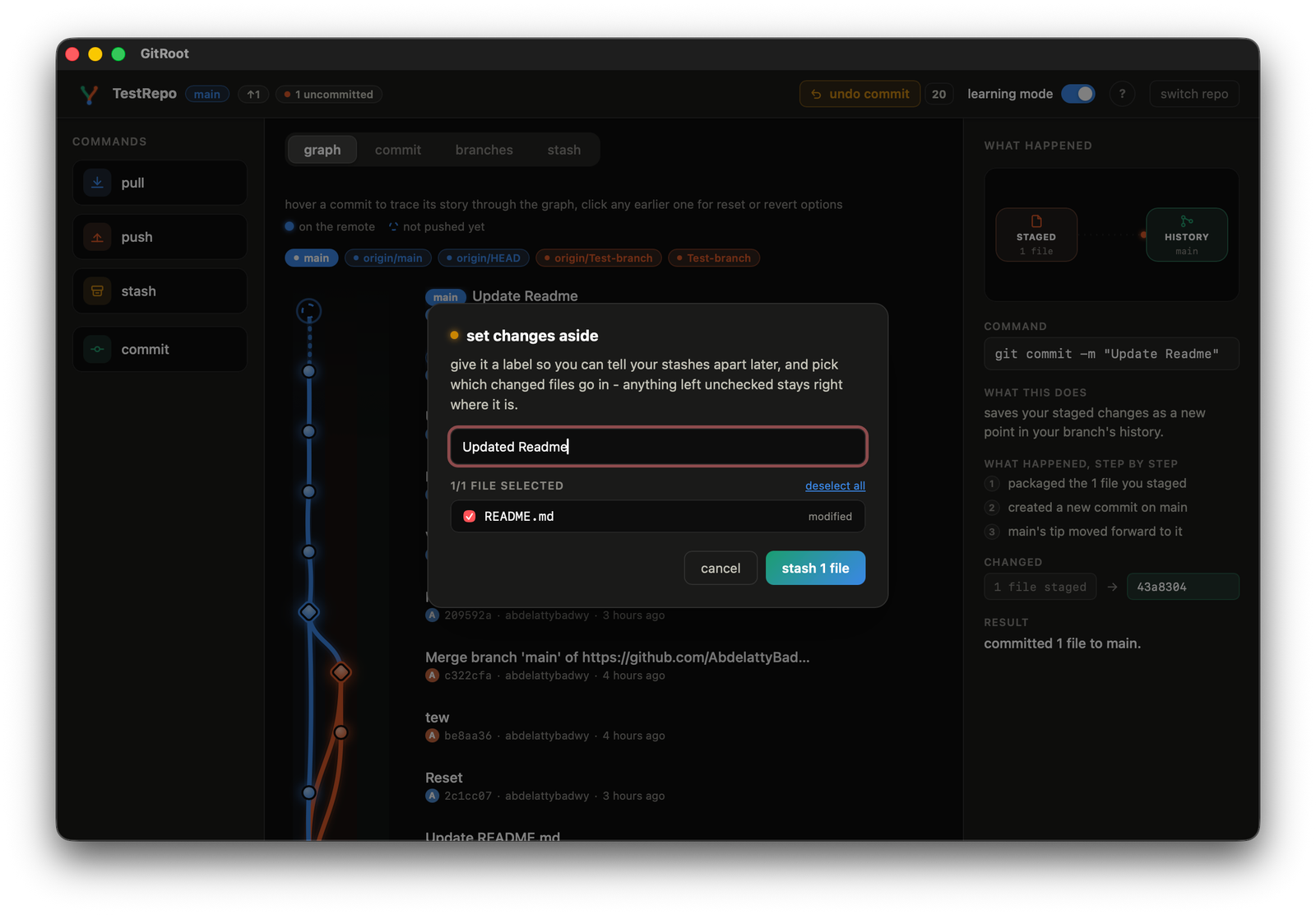
-
Click stash N files.
-
Open the stash tab to see every entry with its label, branch, and age, and three actions per entry: apply (bring back, keep entry), pop (bring back, remove entry), drop (delete for good).